By Deepanshu Chopra, Founder of LeatherKart | Leather Academy · Buying Guides
Choose a leather laptop bag by checking three things first: your laptop’s actual dimensions, everything else you carry and how you travel. Then compare the usable compartment, opening, pocket layout, carrying options and leather finish. A bag that suits your routine is more useful than one chosen only for its appearance or advertised screen-size capacity.
When customers ask me for a recommendation, I start with their functional requirements. Are they going to an office, studying, travelling frequently or carrying a large gaming setup? Will the bag mainly move between a car and a desk, or spend time on public transport?
Those answers change the recommendation. At LeatherKart, I would not automatically suggest the same bag to a customer wanting a slim sleeve and someone carrying a large laptop with a bulky charger and books. This guide explains how I narrow down the options, using our own fit checks and a real customer replacement example.
Start With Your Workday, Not the Bag’s Name
Terms such as sleeve, briefcase and messenger are useful starting points, but the individual design matters more. Two bags with similar names may have different handles, openings, internal layouts and carrying arrangements.
Think through a normal day. List the equipment you take with you, the documents you need and any personal items that share the space. Include things that are easy to forget when shopping: your mouse, headphones, water bottle and lunchbox.
Then consider your journey. Frequent flying makes luggage compatibility worth checking. Walking between stations makes the way you carry the packed bag important. A slim profile may matter most when you take only your laptop and a few essentials.
My aim is to recommend a bag around those requirements rather than persuade a customer that the largest or most expensive option must be best.
A Quick Guide to the Bags I Would Consider
The recommendations below are starting points for a conversation. Confirm fit and the features you need before ordering. The same model can suit more than one routine.
Office routine
Black Bison Burgundy
Compare its fit, profile and organisation.
Large device or gaming setup
Large Dark Brown Messenger
Start here for more carrying space; check your exact device.
More demanding work settings
Vintage Brown Briefcase
A rugged-looking option to discuss; protect it from site hazards.
Slim, lighter-load routine
Brown Laptop Sleeve
Confirm your laptop, charger and documents fit comfortably.
Measure the Laptop, Not Just the Screen
One of the most common mistakes I see is underestimating laptop size. Customers sometimes assume a screen-size label tells them everything they need to know about fit.
It does not. Measure the closed laptop’s width, height and thickness. Include its protective sleeve or case if you intend to keep using it inside the bag. Compare those measurements with the usable laptop section and the opening through which the device must pass.
I often encourage customers to allow more room rather than choose the tightest possible fit. That does not mean adding an arbitrary inch to every screen-size label. The useful clearance depends on the actual device, its sleeve and the bag’s access point.
For example, the burgundy model’s published padded compartment is approximately 39 × 27 × 3 cm, with a narrower opening. Check both measurements instead of assuming every laptop below its advertised screen-size guidance will fit.
A Real Example: When a Slim Sleeve Was Too Small
A customer bought our brown leather laptop sleeve, listed for laptops up to approximately 15 inches. Their laptop was described as 15.5 inches, and the selected sleeve did not provide the fit they needed.
We arranged a replacement. The customer still wanted a slim design, so simply recommending a much bulkier bag would not have solved the whole problem. We suggested the Black Bison men’s tan full-grain leather laptop bag as a roomier alternative with a profile they liked.
The customer was happy with that solution. It addressed the device fit while respecting their preference for a slimmer bag.
The lesson is to tell us about both the laptop and your preferences. A recommendation is more useful when we know that slimness matters, rather than only hearing that the first bag is too small.
For Office Days: Black Bison Burgundy
For an office-goer who likes a softer-feeling bag, I would start by discussing the Black Bison burgundy model. I like it as a workday option, and it is also one of the designs I recommend to customers who prefer a relatively slim profile.
Its listing includes carry handles, an adjustable detachable shoulder strap and a rear trolley strap. That makes it worth comparing for office routines that also involve business travel. The published empty weight is approximately 700 g including the shoulder strap.
The colour and feel are preferences, not substitutes for checking fit. Tell us what you carry beyond the laptop and whether you use a sleeve. If you need to bring a large lunchbox, several books or a substantial gaming power supply, assess those items too.

For Students: Think About Books and Daily Handling
For a student expecting frequent handling, I would consider a Hunter-style bag from our collection, then narrow the choice by laptop size and the day’s contents. A compact sleeve and the larger messenger solve different carrying needs.
In my experience, the worn-in appearance of a Hunter finish can suit customers who are comfortable with visible character from use. I find that the tan bag’s cleaner-looking appearance needs more regular attention to maintain the look I prefer.
These are observations about particular finishes, rather than a claim that Hunter is a separate grain grade or that it repairs damage. A light surface scuff and an actual cut are different things.
For study, include the books and folders in your fit assessment. A bag that fits the laptop on its own may leave less room than you expect for the rest of a full day.
For Travellers: Start With the Trolley Strap
A trolley strap is one of the first features I discuss with frequent flyers. It allows a compatible suitcase handle to pass through the rear strap so the bag can travel with the luggage.
I would consider the burgundy bag for customers who want organised work storage with that travel feature. The large dark brown messenger is another option when more carrying space or a larger device is the priority. Check each product’s luggage arrangement against the suitcase you use.
Pockets are useful for separating documents and smaller accessories. More pockets do not automatically mean more total capacity, so look at the compartment layout and usable space as well.
Also consider empty weight and packed weight. Your airline’s allowance applies to the actual journey and booking, so check its current rules before travelling. No bag description can establish acceptance on every flight.
For Large Laptops and Gaming Setups: The 50 cm Messenger
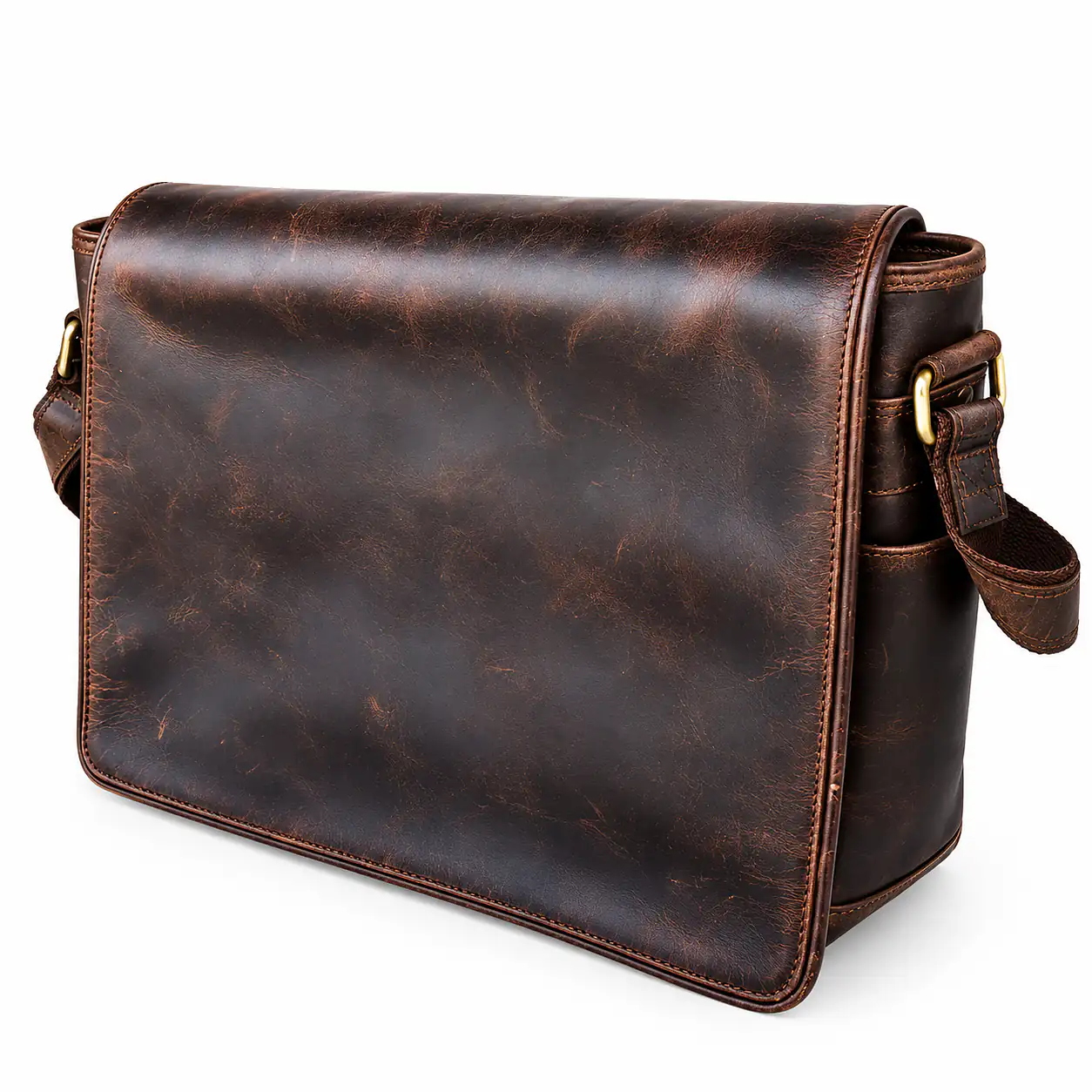
For a large device and accessories, I would assess the men’s dark brown genuine leather messenger laptop bag. It measures approximately 50 cm wide × 30 cm high × 12 cm deep externally. Its listing provides approximate internal dimensions of 49 × 30 × 11 cm.
During our physical checks, I tried an HP laptop with a reported 17.3-inch screen and an Acer Nitro. Each fitted individually with its charger, and I could close the top zipper and flap fully. Exact model identifiers were not recorded in this account, so these examples should not be treated as compatibility confirmation for every HP or Nitro variant.
The wide opening and carrying space are reasons to consider it, but measure your own setup. External depth describes size, not a weight rating, and the overall interior measurements should not be assumed to describe a separate padded compartment.
The Messenger’s Trade-Off: No Carry Handles
The large messenger model discussed here has no carry handles. Its adjustable shoulder strap is the normal carrying arrangement, and the lack of handles makes it less convenient if you want to lift and carry the bag by hand.
That is the main trade-off I highlight to customers. A person who regularly switches between hand and shoulder carrying may prefer one of our handled laptop bags, provided it has the capacity they need.
This is a feature of this particular model. The word messenger alone does not tell you whether another bag has handles. Check the photographs and specification instead of relying on the category name.
When comparing carrying options, imagine the bag packed with your usual equipment. Decide which arrangement you would actually choose on your normal journey.
For More Demanding Work Settings: Consider the Vintage Briefcase
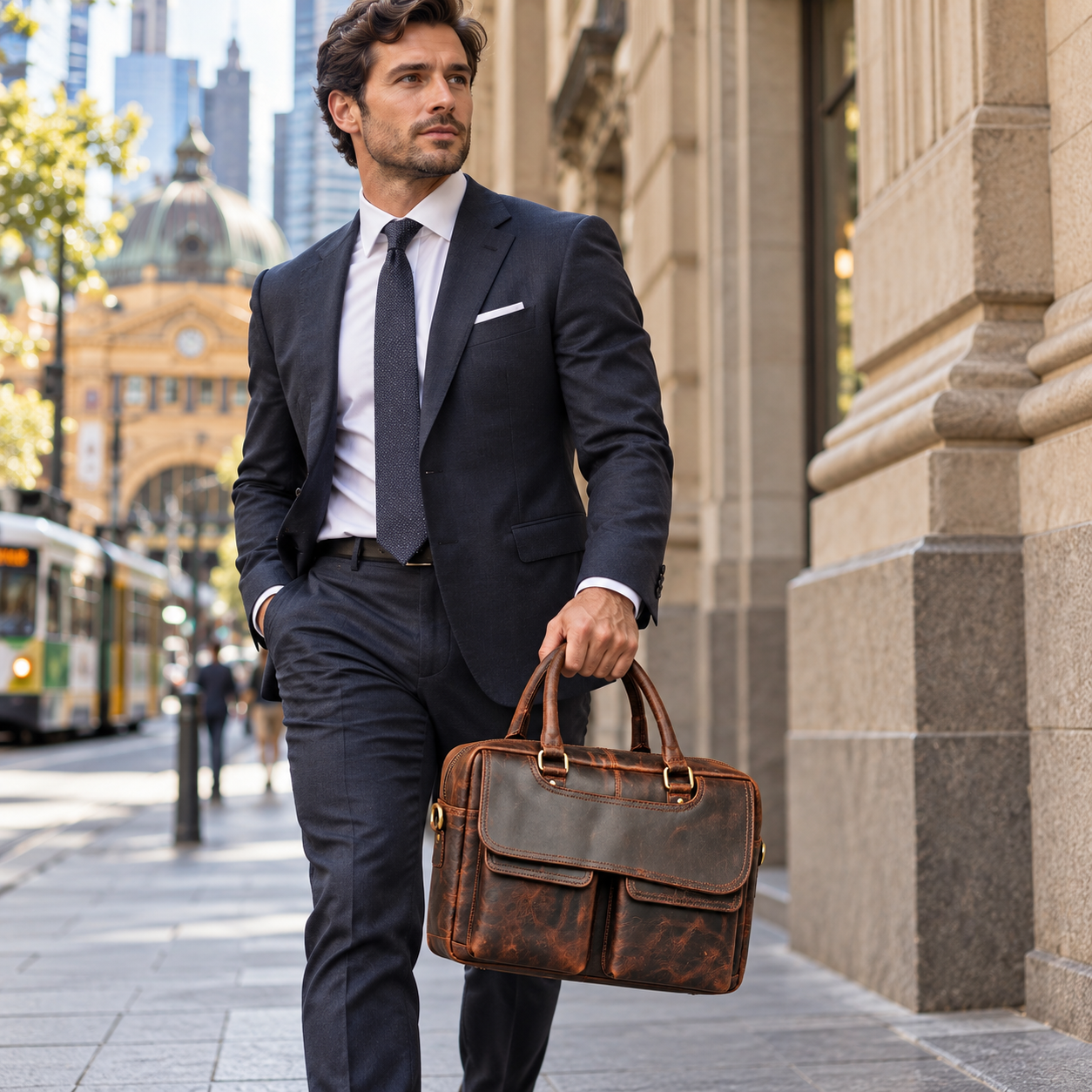
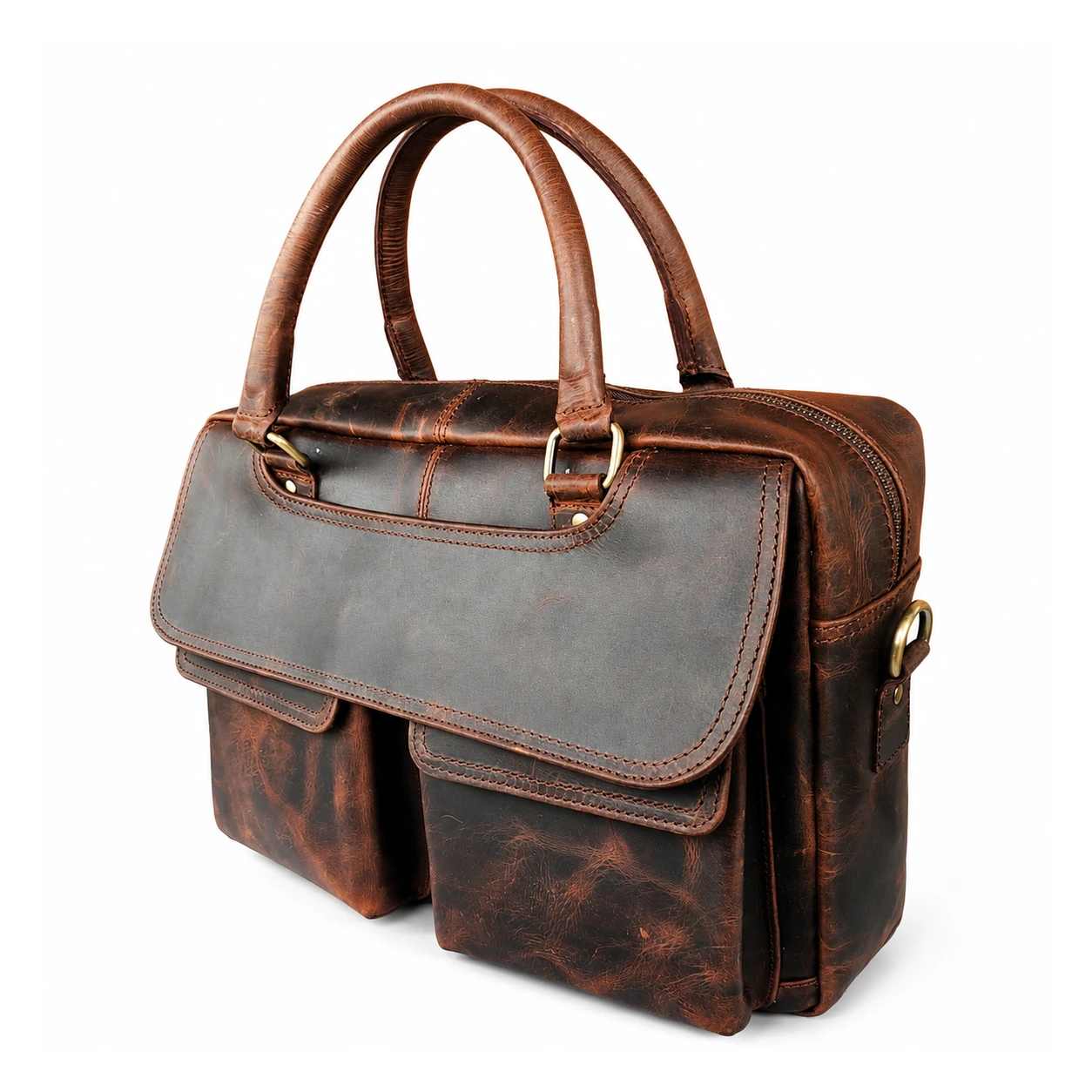
For a customer who wants a more rugged-looking work bag, the vintage brown full-grain leather briefcase is one of my recommendations. I have suggested it as an option to discuss with site-based workers who carry laptops.
I have not personally tested it on construction sites. My recommendation is based on my handling and use experience, rather than a claim that it is certified for dust, sharp objects or site conditions.
The product listing identifies a dedicated padded laptop section, carry handles, a shoulder strap and a trolley strap. Check whether those features and the actual fit suit your workday.
Keep it away from rain and water, protect it from sharp objects and wipe away everyday dust gently with a soft cloth. Minor marks may blend into the finish’s appearance; that is different from saying cuts heal themselves.
For a Slim Profile: Sleeve or Burgundy Bag
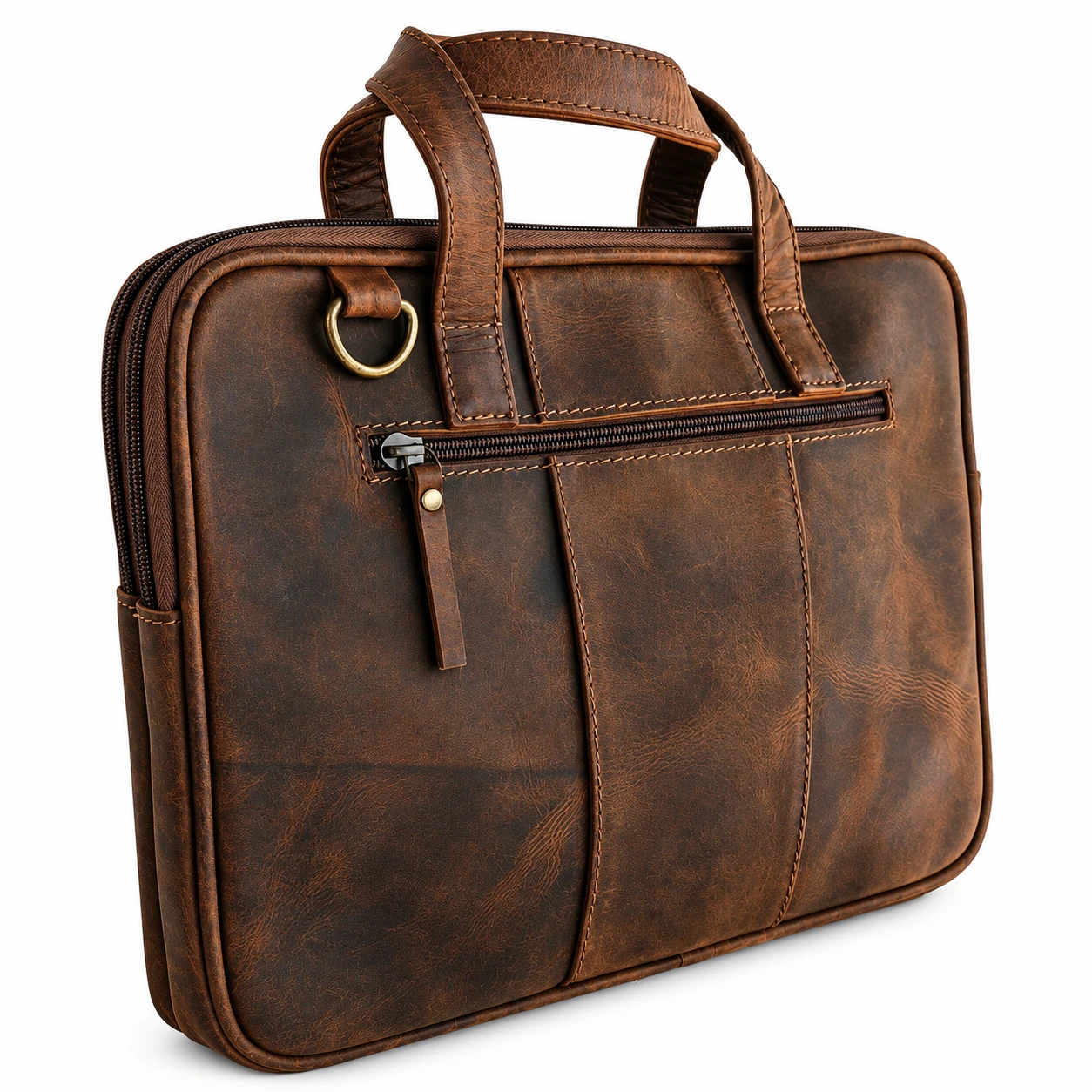
If a customer wants to carry a laptop, charger and a few documents without much bulk, I would compare the brown laptop sleeve and the Black Bison burgundy bag.
The sleeve’s listing gives external dimensions of approximately 37 × 27 × 4 cm and shows two zipped sections and carry handles. That provides a useful starting point for someone wanting a compact design, but the customer replacement example shows why fit still needs attention.
I do not force a distinction where the customer could be happy with either option. Their laptop, contents and preferred appearance should guide the choice.
Check the dimensions of the charger and document folder too. A slim bag is only the right solution if it accommodates what you need without pressure on the closures or the device.
Check the Whole Load, Not a List of Possible Contents
In our discussions, customers often mention phones, earphones, a mouse, chargers, a small perfume bottle, books, documents and a water bottle. Those items can have very different dimensions from one person’s belongings to another’s.
A list of possible contents is therefore a starting point, rather than a promise that every version of every item fits together in every bag. Ask about a particular combination if you are unsure.
Choose more space when your laptop, accessories and daily routine call for it. If you need to force the main zip closed or cannot place the device properly, reconsider the size or packing arrangement.
The best recommendation starts with an honest picture of your load. Tell us about the bulky charger or large folder now, rather than discovering after delivery that it changes the fit.
Send Us These Details Before Ordering
To help us recommend a bag, send your laptop’s model and closed dimensions, whether you use an additional sleeve, and the other things you normally carry.
Then describe your mode of travel and working environment. Mention if you regularly fly, take public transport, prefer hand carrying or need a particularly slim profile. These details help us compare the right features.
You can call LeatherKart on 0470 127 893 or email support@leatherkart.com.au. If something is unclear in a listing, ask for the relevant measurements or photographs before ordering.
For a broader construction checklist, our guide to checking leather quality online covers stitching, lining, hardware and inspection. This article’s purpose is to bring those details back to a bag that suits your own workday.
Frequently Asked Questions
How do I choose the right leather laptop bag?
Start with the actual laptop dimensions, your other belongings and your mode of travel. Then check the usable compartment, opening, organisation and carrying options. Finish and appearance matter, but they should work alongside practical fit.
Should I always buy a bag one screen size larger?
Do not rely on a fixed screen-size rule. Allow useful clearance by comparing the closed device, any sleeve and the bag’s usable compartment and opening. A larger advertised size alone does not guarantee the right fit.
Which LeatherKart bag would you consider for office use?
I would start by discussing the Black Bison burgundy model with customers who prefer its feel and profile. Check the laptop fit and space for your daily contents. Its carrying options and trolley strap also make it worth comparing for business travel.
Which bag should a frequent traveller consider?
Compare the burgundy bag for organised work storage and trolley attachment, or the larger messenger when space for a big device is the priority. Consider packed weight, opening access and your suitcase compatibility. Check airline allowances for your booking.
Does the 18-inch messenger fit every gaming laptop?
No single screen-size description establishes that. Our checks involved two particular laptops, each with its charger. Other devices and power supplies can differ. Compare physical measurements and contact us before ordering if the available information does not settle the question.
Does the large messenger have handles?
The model discussed here does not have carry handles. Customers normally use its shoulder strap, so it is less convenient for carrying by hand. If handles matter to you, compare a handled design with enough space for your equipment.
Is the vintage briefcase waterproof or site-certified?
We are not presenting it as waterproof or as certified for construction-site hazards. It is a model I would discuss with customers wanting a rugged-looking work bag. Protect it and the laptop from water, sharp objects and the conditions of the actual workplace.
Can the brown sleeve carry a 15.5-inch laptop?
Do not assume it will. A customer who selected the approximately 15-inch sleeve for a laptop described as 15.5 inches needed a replacement. Measure your own device and confirm usable space before choosing this compact option.
Do more pockets mean more carrying capacity?
More pockets can improve organisation, but they do not necessarily increase total usable space. Compare the layout with your actual items, particularly bulky chargers, books, bottles and lunchboxes, rather than choosing by pocket count alone.
How do I choose between Hunter and a smoother finish?
Consider the appearance you enjoy and the care you are prepared to give it. I like the worn-in character of Hunter-style finishes for frequent use. In my experience, some tan designs need more regular cleaning to maintain the appearance I prefer.
What information should I send LeatherKart for advice?
Send your laptop model and dimensions, the sleeve you use, usual contents, preferred carrying style and mode of travel. Tell us where you will use the bag. Those details let us recommend around your functional requirements.
Choose for the Day You Actually Have
A useful laptop bag fits your equipment, keeps your belongings organised and offers a carrying arrangement you want to use. The right choice may be a compact sleeve, an office bag with a trolley strap or a larger messenger for a substantial setup.
At LeatherKart, I start by understanding those requirements. Browse our leather laptop bags, compare the individual specifications and contact us if you need help deciding. A few practical details about your day can make the recommendation much more useful.
Written from Deepanshu Chopra’s firsthand recommendations and customer experience. Product features checked against the linked LeatherKart listings on 25 October 2026. Fit examples are specific to the devices tested; photographs illustrate the products rather than the tests.