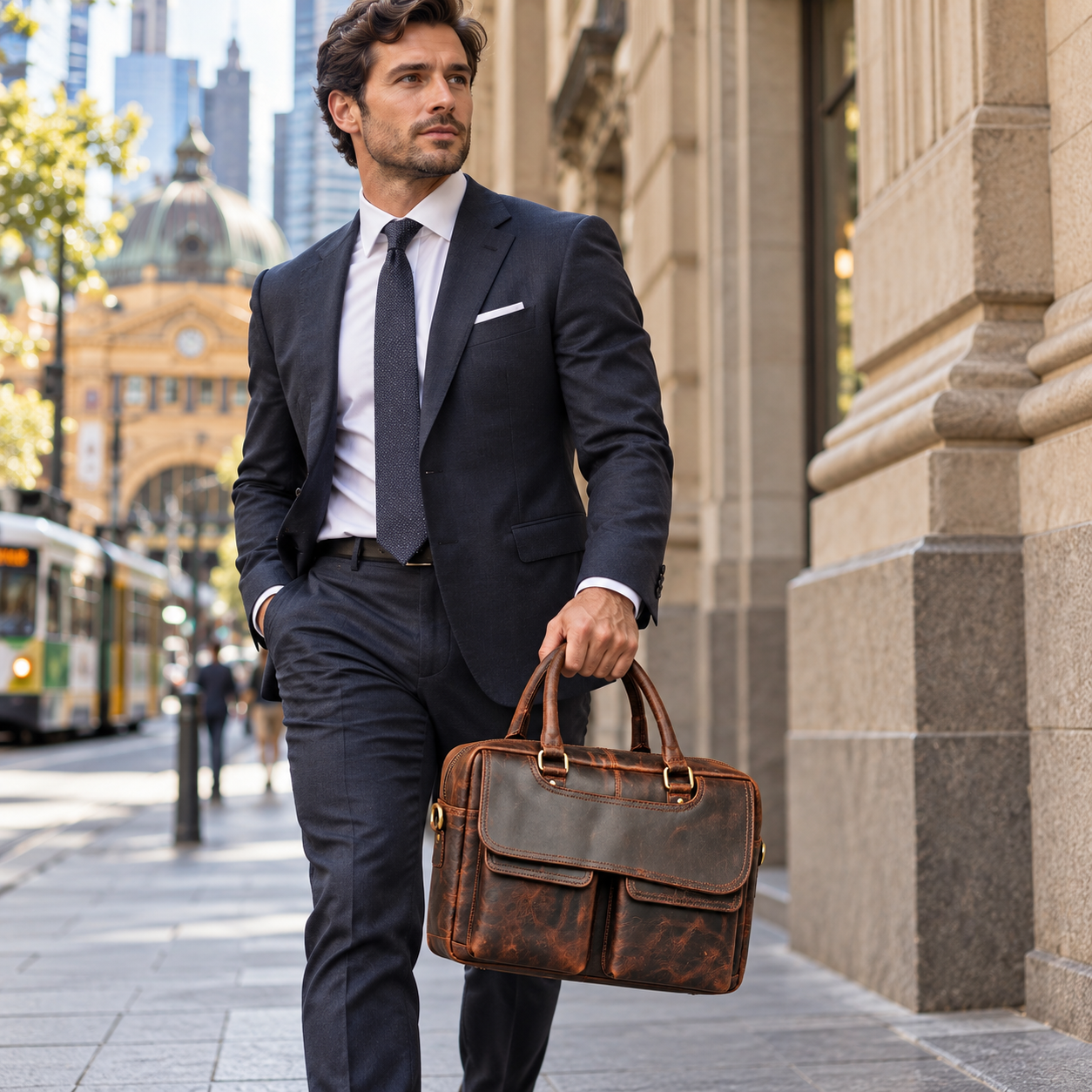
The best leather laptop bag for you is the one that fits your computer, carries your daily essentials and feels manageable on the journey to work. A good-looking bag can still be frustrating if its opening is too narrow, its shoulder strap digs in or the charger leaves no room for your lunch.
Whether you commute by train in Melbourne, walk between meetings or travel with a suitcase, start with practical details before choosing a colour. This guide explains how to compare leather laptop bags in Australia, from internal measurements and padding to storage, construction and carrying options.
Use it alongside the individual specifications in our leather laptop bag collection. Features vary between models, and the right choice depends on what you actually carry.
What should you look for in a leather laptop bag?
Before comparing styles, write down your laptop model and the items that travel with it. Then check these six things:
- Laptop fit: internal compartment dimensions and enough opening clearance.
- Protection: the location and extent of padding, plus separation from other items.
- Carrying comfort: empty weight, handles, shoulder strap and your usual walking distance.
- Organisation: usable space for your charger, documents and other essentials.
- Construction: stitching, lining, closures and strap attachment points.
- Ownership details: care requirements, delivery, returns and the specific warranty terms.
A smaller bag may work beautifully for a laptop and charger. A deeper briefcase may suit someone carrying paperwork and headphones. Neither is automatically better: choose the layout that matches your routine.
1. Check laptop dimensions, not just screen size
A laptop described as 15-inch is identified by its screen diagonal. That number does not tell you the width, depth or thickness of its casing. Two computers with the same advertised screen size can therefore need different amounts of space.
Measure your laptop while it is closed, or check the manufacturer’s dimensions for the exact model. Compare those measurements with the bag’s internal laptop compartment, rather than its overall external dimensions.
The outside of a bag includes its leather, lining, seams and padding. A bag that looks wide enough in a photograph can have a substantially smaller usable section inside.
Include any case or sleeve you use
If your laptop normally travels in a protective shell or sleeve, measure it with that protection fitted. Allow clearance so you can insert and remove it without forcing the corners or stretching the zip.
Also check the opening. A spacious compartment is only useful if your device can pass through the entrance comfortably. When the listing is unclear, ask the seller to check your exact laptop model and dimensions.
2. Understand what the padding protects
The phrase “padded laptop compartment” can describe different arrangements. Some bags cushion several sides; others have foam on one panel. Ask where the padding sits, including whether the base has cushioning.
Look at the lining and nearby hardware, too. Your computer should not have to share an unprotected space with loose keys, plugs or other items that could rub against it.
Padding can help cushion everyday contact, but it does not establish drop protection. If you need a particular level of impact protection, look for documented testing or consider suitable additional protection that still fits comfortably inside the bag.
3. Choose between a briefcase, messenger bag and backpack
Bag names are a useful starting point, but inspect the actual carrying system. Many modern leather work bags combine briefcase handles with a detachable shoulder strap.
| Style | When to consider it | What to check |
|---|---|---|
| Leather briefcase | Meetings, office days and shorter journeys with hand carrying. | Handle comfort, document space, structure and any shoulder strap. |
| Leather messenger bag | Shoulder or crossbody carrying with convenient access. | Strap length, closure, loaded weight and laptop separation. |
| Leather laptop backpack | Hands-free carrying when your commute involves more walking. | Two-strap fit, back-panel comfort, laptop access and overall weight. |
Think through a normal workday: walking to the station, standing on the train, carrying a coffee and moving between offices. Choose the bag that makes those moments easier, rather than relying on its product name alone.
4. Compare leather specifications and construction together
“Genuine leather” identifies the material but does not provide a complete description of a bag’s quality. Look for more specific information about the hide, leather classification, finish and construction.
Full-grain leather retains the grain surface, while top-grain leather has generally undergone surface correction. Either description still needs context: the hide quality, finish, stitching and fittings influence how the finished bag performs.
For a fuller explanation, read our Leather Academy guides on leather grades, textures and finishes. When buying a laptop bag, use that material information alongside practical checks:
- Are the handle and strap attachment areas clearly shown?
- Does the stitching look consistent, particularly around load-bearing areas?
- Is the lining securely finished around the compartment and pockets?
- Can the main closure operate without pushing against the laptop?
- Does the listing explain which parts of the bag are leather?
Decorative hardware and a familiar leather label cannot replace these details. Clear photographs and specific descriptions help you judge the complete product.
5. Plan for everything you carry to work
A laptop that fits does not guarantee that the rest of your work kit will fit. Place your usual items together before shopping: charger, notebook, phone, headphones, keys, documents and anything else you carry most days.
Check how the pockets are arranged. Several small pockets may organise cables well but leave little space for a thick folder. One open compartment may hold larger items but make smaller accessories harder to find.
If you carry a water bottle, check its height and diameter against the available space. A separate holder or secure arrangement can reduce movement, but keep liquids well sealed and away from your computer. Do not assume that a leather exterior or zip makes the bag waterproof.
For occasional extra loads, decide whether you need more capacity every day or whether a second bag makes more sense. Avoid buying a bulky work bag solely for items you rarely carry.
A measured example: LeatherKart’s Vintage Brown briefcase
Our Vintage Brown Genuine Leather Laptop Briefcase with Twin Front Pockets shows why specific measurements matter:
- External size: approximately 37 cm wide × 27 cm high × 10 cm deep.
- Laptop compartment: approximately 36 × 26 × 3 cm.
- Foam padding: approximately 5 mm on one side.
- Empty weight: approximately 1 kg.
- Rear trolley strap for use with a suitcase handle.
LeatherKart tested it with a Microsoft Surface Laptop 4 15-inch, without a case or sleeve; the bag closed fully. This confirms that particular device fits. It does not guarantee compatibility with every 15-inch laptop. Compare your own device measurements and check opening clearance before choosing.
6. Assess loaded weight and carrying comfort
Compare empty weights, then add the weight of your computer and usual contents. For illustration, a 1 kg bag, a 1.5 kg laptop and 1 kg of accessories create a 3.5 kg load. Your actual equipment may be heavier or lighter.
For a longer commute, check strap width, adjustment range and whether the strap can be removed. Consider whether you prefer shoulder carrying, crossbody carrying or two backpack straps.
If you can try the bag, load it with your everyday items and walk with it. Check whether the handles feel comfortable, the bag stays balanced and you can reach important pockets without putting everything down.
7. Check features for business travel
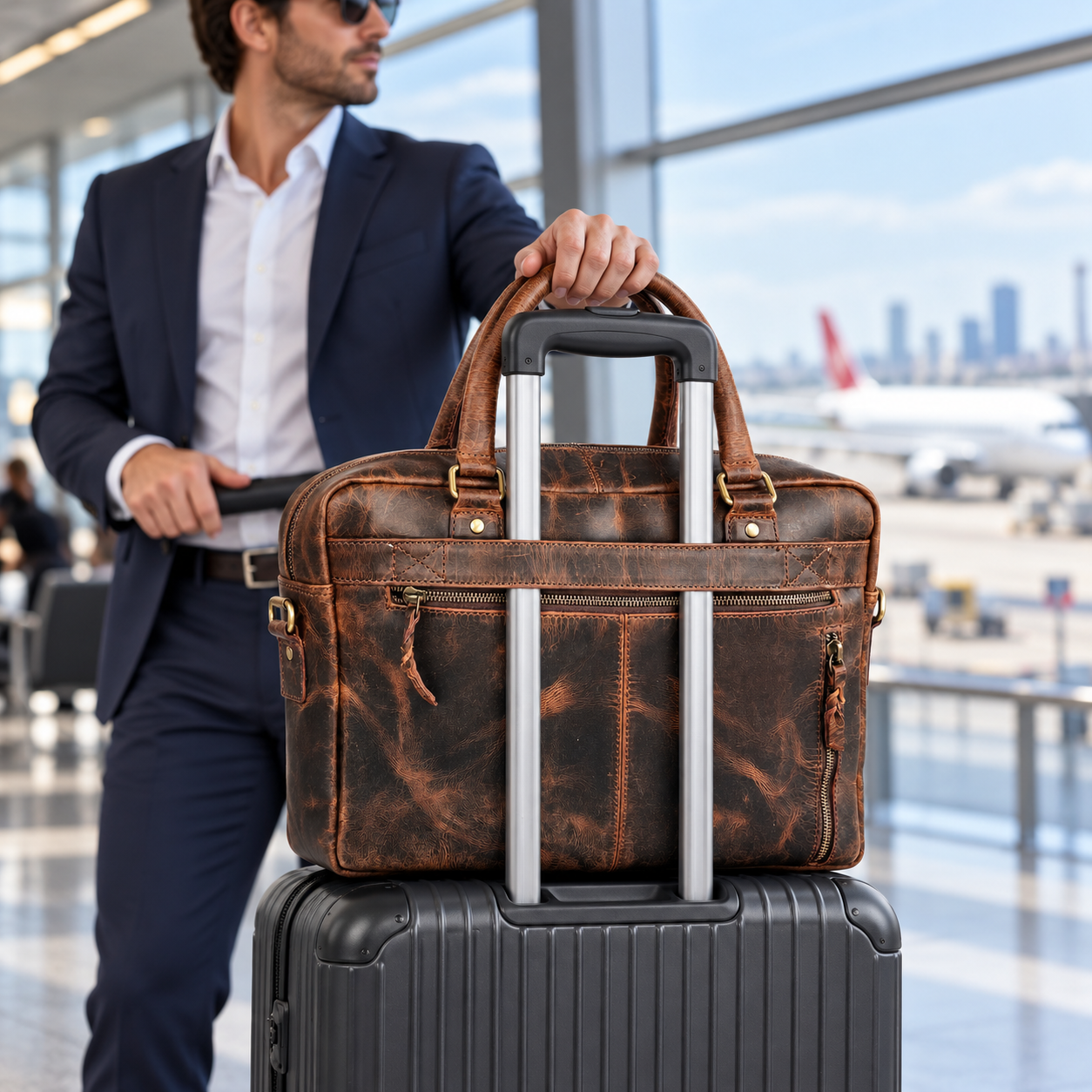
Check trolley-strap compatibility with your suitcase handle when choosing a bag for business travel.
A trolley strap can be useful when travelling with a wheeled suitcase. Check its position and dimensions against your suitcase handle, and make sure the bag sits securely without obstructing access.
Consider how easily you can remove your laptop when required, whether travel documents have an accessible pocket and whether the main compartment closes securely when loaded.
If you plan to take the bag on a flight, compare its loaded dimensions and weight with your airline’s current allowance. A laptop bag is not automatically an additional free cabin item; requirements depend on the airline and booking.
8. Match the finish and colour to your routine
Colour is personal, but maintenance preferences matter. A smooth, uniform finish may suit someone who wants a consistent appearance. A distressed or pull-up look may appeal to someone comfortable with visible changes from handling.
Check close-up photographs and the stated finish rather than assuming all brown leather ages the same way. Decide whether developing marks are part of the look you enjoy, or something you would prefer to minimise.
Choose a colour you can use with your usual work clothes. There is no requirement to match every accessory exactly; the aim is a bag you will feel comfortable carrying regularly.
9. Read delivery, returns and warranty details
Before ordering a leather laptop bag online in Australia, check dispatch timing, delivery options and the return conditions. If you need to assess fit at home, understand the requirements for returning an unused item, including packaging and any applicable postage.
Read the specific warranty for the model you choose. Coverage can differ between products, and a longer headline period does not explain which faults are covered or how to make a claim.
Compare value through the information provided: useful dimensions, a suitable layout, clear construction details and support when you have questions. The lowest price does not help if the bag cannot carry your laptop comfortably.
10. Choose care you can maintain
Follow the product’s care guidance for its particular finish. Wipe off loose dust with a suitable soft cloth, avoid prolonged heat and store the bag somewhere dry and ventilated.
If it becomes wet, follow the supplier’s drying advice rather than using a heater or hairdryer. Check compatibility before using a cleaner, conditioner or protective treatment, and test an inconspicuous area first.
Our leather cleaning guide provides further context. Care needs vary, so the instructions for your bag take priority over a general routine.
Frequently asked questions
What is the best leather laptop bag for work?
The best choice fits your exact laptop and regular contents, has suitable protection and feels comfortable on your commute. Compare internal measurements, loaded weight, organisation and carrying options before deciding.
Will a 15-inch laptop bag fit a 16-inch laptop?
It might fit some models, but the screen-size labels cannot establish compatibility. Compare the closed device’s width, depth and thickness with the internal compartment and opening, including any protective case.
Do I need a separate laptop sleeve?
That depends on the bag’s padding and your protection needs. A compatible sleeve can add cushioning, but it also takes up space. Check fit with the sleeve on, rather than assuming both will fit.
Is full-grain leather always the best choice?
Full-grain leather can be an appealing option, but the label alone does not determine the quality of the whole bag. Evaluate stitching, lining, hardware, finish, weight and practical fit together.
Are leather laptop bags waterproof?
Do not assume they are. Leather treatments, seams and closures differ, and a leather exterior does not establish waterproof protection for electronics. Follow the stated product specifications and plan for wet-weather travel.
Find a leather laptop bag that works for your day
Start with your laptop’s measurements, then compare protection, storage and carrying comfort. Finish by checking the leather specifications, care requirements and purchase terms.
Browse LeatherKart’s leather laptop bags for work and travel to compare the available styles. LeatherKart is Australian owned and operated, based in Melbourne, with free standard shipping across Australia. If you are unsure about fit, contact us with your laptop model and measurements before ordering.


